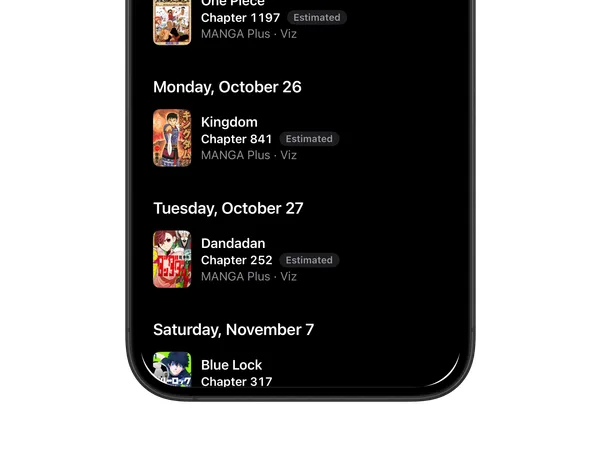
Never miss a chapter
With Pro: a bell on every series you follow, an alert when an official chapter is out, and the Releases calendar.
 MangahubDownload
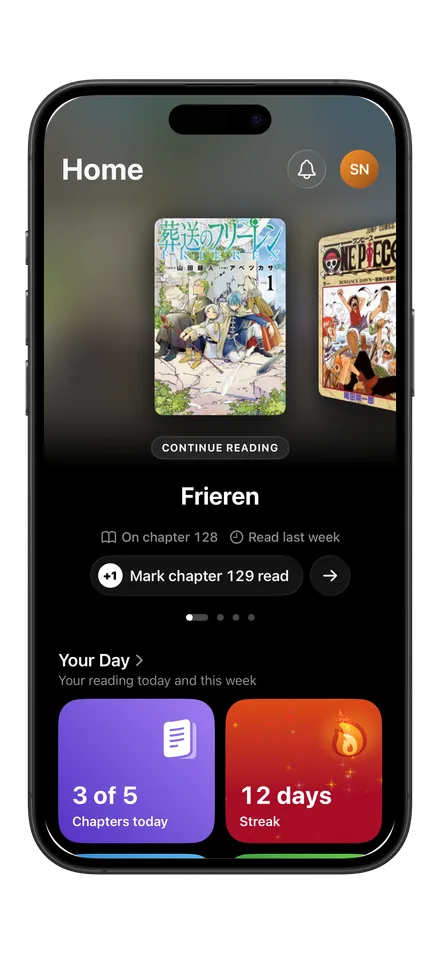
Mangahub keeps track of every manga, manhwa and manhua you read, chapter by chapter and volume by volume. See your reading stats, discover your next series and never miss a new chapter.
With Pro: a bell on every series you follow, an alert when an official chapter is out, and the Releases calendar.
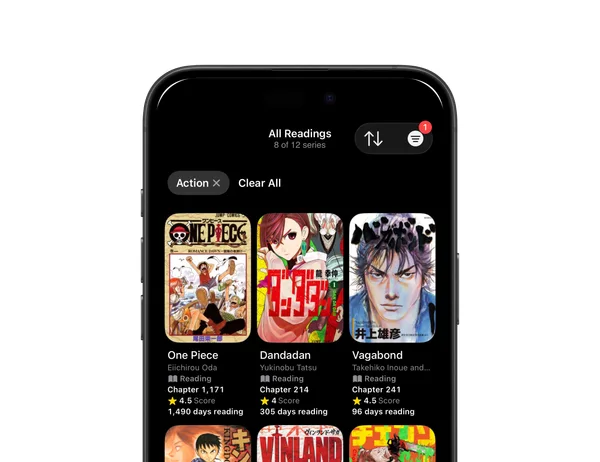
Mark each series as Reading, Completed, On hold, Dropped or Plan to read, log chapters and volumes, and score from 1 to 10.
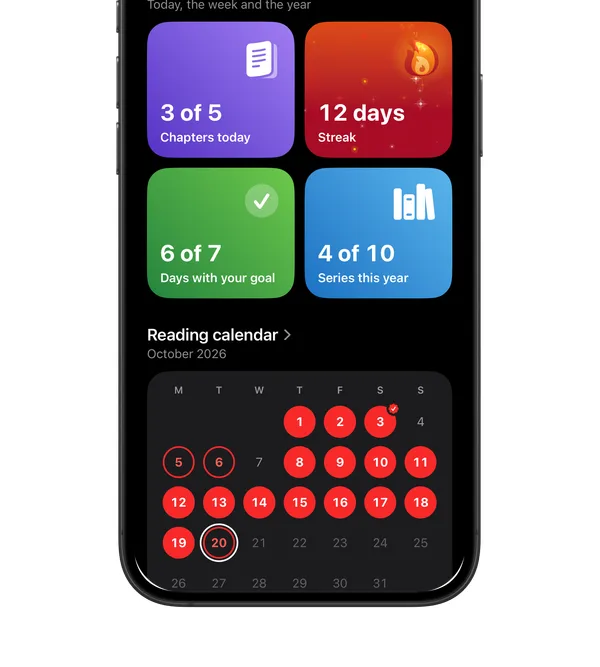
A reading calendar with the story of every day, your pace and your totals. With Pro, reading goals and your streak.
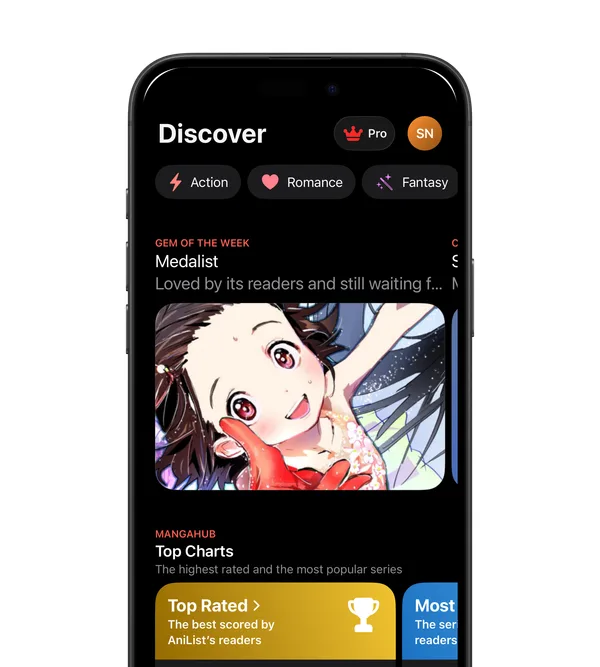
A hidden gem every week, the Top Rated and Most Popular rankings, the most read on Mangahub and recommendations drawn from your own library.
Pricing
Download Mangahub and start tracking what you read.
Free
Your library, chapters and volumes, your stats, Discover, reviews and your profile.
€5.99/month
Chapter alerts, notes and quotes, reading goals and your streak, six insights into how you read and the verified badge.
€34.99/year
Every Pro feature, billed once a year.
Pro prices shown for Spain. Check the App Store for the exact price in your region.
FAQ
Everything you need to know before you start reading.
You sign in with Apple or with Google. Use the same one every time: each one is its own Mangahub account, with its own library. With Sign in with Apple you can hide your email address; we only use the address Apple gives us to write to you about your account.
Apple bills Mangahub Pro. To change or cancel it, open Settings in the app and tap Subscription, or on your iPhone open Settings, tap your name, then Subscriptions. Pro stays on until the end of the period you paid for. To ask for a refund, go to reportaproblem.apple.com.
Bought Pro on another iPhone, or installed the app again? Open the Pro screen and tap Restore Purchases, signed in with the same Mangahub account.
In Settings, Export data gives you your readings, notes and quotes as CSV files in a ZIP, and your reviews as a CSV file.
If you used CollectHub, sign in to Mangahub with the same Apple or Google account: Mangahub offers to bring your readings over, and copies nothing unless you accept. If you chose Not now, the offer stays in Settings.
In Settings, tap Delete account. Your library and its history, notes, quotes, reviews and profile are deleted, and we ask Apple and RevenueCat to delete what they hold for Mangahub. Deleting your account does not cancel a subscription: cancel it first. The Privacy Policy says what remains and for how long.